Showing posts with label Software. Show all posts

Internet Download Manager အဆင္မေျပသူမ်ားအတြက္


Internet Download Manager ကိုအဆင္မေျပျဖစ္ေနသူမ်ားအတြက္ ကြ်န္ေတာ္နည္းပညာၿမိဳ႔ေတာ္ကမထားတာေလးကို ျပန္လည္မွ်ေ၀ေပးလိုက္ပါတယ္ Install လုပ္ရတာလြယ္ကူသလို သံုးရတာလဲအဆင္ေျပပါတယ္ စာတန္းေတြလဲခဏခဏမတက္ပါဘူး ကဲ Install လုပ္နည္းေလးေျပာမယ္ေနာ္ အရင္ဆံုးေဒါင္းရတဲ့ဖိုင္ကိုဖြင့္လိုက္ၿပီး Rum လိုက္ပါ ေအာက္ပါပံုအတိုင္းေပၚလာပါမယ္


အေပၚကပံုေပၚလာရင္ Install File ကိုႏွိပ္ၿပီး Install လုပ္လိုက္ပါ
ေနာက္ၿပီး internet ကိုပိတ္ၿပီး Crack.exe ကိုႏွိပ္ပါ
ေနာက္ဆံုး ပိုေသခ်ာေအာင္ Key.reg ကိုႏွိပ္လိုက္ပါ Full Version အျဖစ္နဲ႔သံုးလို႔ရပါၿပီ

Windows 8 Viber မွာျမန္မာစာမွန္ေအာင္လုပ္နည္း

Viber ကို ဒီမွာေဒါင္းလိုက္ပါ Install လုပ္ၿပီးရင္ windows key ႏွင့္ R ကိုတြဲႏွိပ္
Search Box ထဲမွာ Regedit  ဆိုတာကိုရွာၿပီးဖြင့္လိုက္ပါ ေအာက္ပါပံုအတိုင္းေတြ႔ရပါမယ္


HKEY-LOCAL-MACHINE ရဲ႔ေဘးကမွ်ားေလးကိုႏွိပ္လိုက္ပါ


SOFTWARE ရဲ႔ေဘးကမွ်ားေလးကိုႏွိပ္လိုက္ပါ
Microsoft ရဲ႔ေဘးကမွ်ားေလးကိုႏွိပ္လိုက္ပါ  Windows NT ရဲ႔ေဘးကမွ်ားေလးကိုႏွိပ္လိုက္ပါ CurrentVersion ရဲ႔ေဘးကမွ်ားေလးကိုႏွိပ္လိုက္ပါ


Fonts ဆိုတဲ့ဖိုင္ထဲကို၀င္ၿပီး Myanmar Text ဆိုတာကိုရွာၿပီး R ကလစ္ႏွိပ္ၿပီး Delete လုပ္ပါ ေနာက္တစ္ခု Myanmar Text Bold ဆိုတာပါဖ်က္လိုက္ပါ 

Arial Zawgyi Font ကိုေဒါင္းၿပီး Install လုပ္လိုက္ပါ ေနာက္တစ္ခုက Smart Zawgyi pro ကိုေဒါင္းလိုက္ပါ Extract လုပ္ၿပီး ဖိုင္ထဲ၀င္ပါ Data ဆိုတဲ့ဖိုင္ထဲက Smart Zawgyi pro ဆိုတဲ့ေပၚကို ကလစ္2ခ်က္ႏွိပ္ၿပီး Install လုပ္ပါ ၿပီးရင္ Computer ကို Restart လုပ္လိုက္ပါ ျပန္တက္လာရင္ Viber မွာျမန္မာစာကိုအသံုးျပဳလို႔အဆင္ေျပပါၿပီ 


Artensoft Photo Collage Maker v1.2.51


သင့္ရဲ  ့မ်က္ႏွာပံု ေပၚမွာ တစ္ျခား ပံုေပါင္းမ်ားစြာကို အသံုးျပဳျပီးအလွဆင္ေပးႏိုင္တဲ့  software ပါ။ ဖိုင္ဆိုဒ္ေလးကေတာ့ 8.64 MB (9,064,448 bytes)ပဲရွိပါတယ္။  မ်က္ႏွာပံုတင္္မကပဲ တစ္ျခားပံုေတြကိုလည္း ပံုေပါင္းမ်ားစြာနဲ ့အလွဆင္ႏိုင္ပါတယ္။ဒီေဆာ့၀ဲကို အသံုးျပဳျပီးဖန္တီးထားတဲ့အလွဓါတ္ပံုေတြကို Artensoft Site မွာၾကည့္ရွုခံစားႏိုင္ပါတယ္။ေဆာ့၀ဲ အသံုးျပဳရတာလြယ္ကူပါတယ္။ အဆင့္ ၅ ဆင့္ရွိျပီး (၁)မွာ master image ကိုေရြးေပးရမွာပါ။(၂)မွာေတာ့ master photo မွာအလွဆင္ဖို ့ ပံုေတြ အမ်ားၾကီးရွိတဲ့ ဖိုဒါကို ေရြးေပးပါ။(၃)မွာ additional setting ေတြကို သင့္စိတ္ၾကိဳက္ ျပဳလုပ္ႏိုင္ပါေသးတယ္။(၄)မွာေတာ့ review ၾကည့္ႏိုင္ျပီး zoom အတိုး အေလွ်ာ့လုပ္ႏိုင္ပါတယ္။(၅)မွာေတာ့ ဖိုင္ဆိုက္အၾကီးအေသးေရြးခ်ယ္ႏိုင္ျပီး သင္ဖန္တီးထားတဲ့ပံုကို JPEG, BMP, TIFF, or PNG file ေတြအေနနဲ ့သိမ္းႏိုင္ပါတယ္။လိုခ်င္ရင္ေအာက္မွာေဒါင္းလိုက္ပါ


CD / DVD Label Designer With Keygan (အေခြကူးသူမ်ား အတြက္ အသံုးဝင္ပါတယ္)


CD Label Designer ေလးကေတာ့ CD / DVD အေခြရဲ႕ Cover Photo လုပ္ေပးတဲ့ ေဆာ၀ဲေလးပါ။ အေခြကူးသမားေတြအတြက္ ပံုထုတ္တာ အရမ္းကို
အဆင္ေျပပါတယ္။ သံုးရတာ လြယ္လည္း လြယ္ကူ ပါတယ္။ CD / DVD အေခြကူးသမားေတြအတြက္ Cover ပံု ထုတ္ဖို႕ ဒီေဆာ၀ဲေလးက
တကယ္ ကိုေဆာင္ ထားသင့္ပါတယ္။

ကိုယ္ၾကိဳက္တဲ့ ပံု၊ ကိုယ္ၾကိဳက္တဲ့ ပံုဒီဇိုင္း ကို အလွပဆံုးျဖစ္ေအာင္ ဖန္တီးလို႕ရပါတယ္။ Full Version သံုးလို႕ရေအာင္ Keygan ပါ တင္ေပးထားပါတယ္။
ေအာက္မွာ Screenshots ပါျပေပးထားပါတယ္။ သံုးရတာ အရမ္းလြယ္ကူတာေၾကာင့္ နည္းကိုမေရးေတာ့ဘူးေနာ္။ အေသးစိတ္ေလ့လာခ်င္ရင္ေတာ့
(ဒီလင့္မွာ) ၀င္ေလ႔လာနိုင္ပါတယ္။

စိတ္၀င္စားရင္ေတာ့ ဒီေအာက္ကလင့္မွာ ေဒါင္းယူနိုင္ပါျပီ။


Internet Download Manager 6.21 Full Version Crack + Patch + Key Free


Internet Download Manager 6.21 Full Version Crack + Patch + Key Free ေလးေတြ႔လို႔ျပန္လည္မွ်ေ၀လိုက္ပါတယ္ ကြန္ျပဴတာကိုင္တဲ့လူေတြအတြက္ မရွိမျဖစ္ေဆာင္ထား၇မယ့္ေဆာ့၀ဲေလးပါ 


Memory stick ျပဳျပင္​နည္​း


-ဒီတစ္ခါေတာ႔လူသံုးလည္းမ်ား အပ်က္လည္းမ်ားတဲ႔ Memory stickေတြအေျကာင္းကိုက်ေနာ္သိတာေလးေတြကို ျပန္ျပီး မၽွ်ေဝလုိုက္ပါတယ္
Memory Stick ေတြ လူသံုးမ်ားသလိုပဲ အပ်က္လည္း မ်ားလွပါတယ္။ ကြန္ပ်ဴတာက မသိေတာ့တာ၊ Format ခ်ခိုင္းတာ၊ ဖိုင္ေတြ ထပ္ထည့္လို႔မရေတာ့တာ၊ Capacity အျပည့္မရေတာ့တာ စသည္ျဖင့္ ျပႆနာေတြက စံုလွပါတယ္။ အခုေတာ့ Format ခ်ခိုင္းတယ္၊ ဒါေပမဲ့ Format ခ်မရတဲ့ Memory Stick တစ္ေခ်ာင္းကို ျပဳျပင္နည္းေလးကို ေရးသားေပးလိုက္ပါတယ္-
-သေဘာတရားကေတာ့ Format ခ်ခိုင္းတယ္ဆိုတာက တနည္းအားျဖင့္ File System မရွိလို႔ပါပဲ။ Format 
ခ်လည္း မရတာကေတာ့ Partition Table က Corrupt ျဖစ္လို႔ပါ။ အဲဒါေၾကာင့္ Partition Table ဖ်က္ၿပီး အသစ္ျပန္ေဆာက္၊ ၿပီးေတာ့ File System ျပန္သတ္မွတ္လိုက္ရင္ ျပန္ေကာင္းသြားပါလိမ့္မယ္။ လိုအပ္တဲ့ Software ကေတာ့ ႏွစ္ခုတည္းပါ။Test Disk ရယ္ Bootice ရယ္ပါ။
ပထမဆံုး Test Disk ကို Run ပါ။ ေအာက္မွာျပထားသလို ေပၚလာပါလိမ့္မယ္-
-No Log ကို Keyboard က Arrow Key နဲ႔ ေရြးၿပီး Enter ေခါက္ပါ။ အဲဒီအခါမွာ Hard Disk နဲ႔ Memory Stick ရယ္ ေပၚလာပါလိမ့္မယ္။ Memory Stick ကို ေရြးပါ။ Enter ေခါက္ပါ။ ေနာက္ထပ္ သူက Partition Table type ကို ေရြးခိုင္းပါလိမ့္မယ္။ Intel ကို ေရြးၿပီး Enter ေခါက္ပါ။ အဲဒီအခါမွာ [Analyse] [Advanced] [Geometry] စသည္ျဖင့္ ေရြးခ်ယ္စရာေတြ ေပၚလာပါလိမ့္မယ္။ အဲဒီထဲက [Delete] ကို ေရြးၿပီး Enter ေခါက္ပါ။ Yes/No ေမးရင္ Y ကို ႏွိပ္ၿပီး Enter ေခါက္ပါ။ ဒါဆိုရင္ Memory Stick ရဲ႕ Partition Table ကို ဖ်က္ၿပီး သြားပါၿပီ-
-ဒီထိဆိုရင္ TestDisk ရဲ႕အပိုင္း ၿပီးသြားပါၿပီ။ ေနာက္ထပ္ Bootice ကို Run ပါ။ ေအာက္မွာ ျပထားသလို ေပၚလာပါလိမ့္မယ္။
Perform Format ကို ႏွိပ္ပါ။ ေနာက္တစ္ဆင့္ ေပၚလာရင္ USB-HDD mode (Single Partition) ကို ေရြးပါ။ Next ကို ႏွိပ္ပါ။ Dialog box ေပၚလာရင္ OK ႏွိပ္ပါ။ ဒါဆိုရင္ Format စရိုက္ပါလိမ့္မယ္။ 
ရပါၿပီ။စာဖတ္သူရဲ႕Stickအပ်က္ကေလး ျပန္ေကာင္းသြားပါလိမ့္မယ္။အသံုးလိုမယ္ဆိုရင္ေအာက္မွာေဒါင္းႏိုင္ပါတယ္-


Bigasoft Video Downloader Pro 3.7.0.5340 Multilingual + Keygen


ဒီေကာင္ေလးကေတာ့ online video downloader ေလးပဲျဖစ္ပါတယ္။ YouTube, Facebook, Google Videos အပါအ၀င္အျခားေသာရုပ္ရွင္ဆိုဒ္ေတြမွလည္း  Download ျပဳလုပ္ႏိုင္သည္အျပင္လိုခ်င္ေသာ
formats ကိုလည္းတိုက္ရိုက္ convert လုပ္ႏိုင္ပါတယ္။အေသးစိတ္ကိုေအာက္မွာဖတ္ပါ။Full ျဖစ္ေစဖို႔
အတြက္ေဒါင္းေလာ့စ္ဖိုင္ထဲမွာ Keygen ကိုထည့္သြင္းေပးထားပါတယ္။


Bigasoft Video Downloader Pro is a popular one-step online video downloader and converter to help to fast download and convert YouTube videos and other online movies for playing on personal computer, portable device, mobile phone, mp4 player, television and more with ease. The powerful Video Downloader tool can save online videos in HD, HQ and 3D movies and then convert to MP4, AVI, WMV, MOV, MKV, FLV, MPG, VOB and etc for playback on a great variety of digital devices including iPad mini, iPad, iPod, iPhone, Google Nexus, Microsoft Surface, Kindle Fire, BlackBerry, Apple TV, Zune, PSP, PS3, Pocket PC, Creative Zen, Xbox, Archos and more.


The all-in-one Video Downloader and Converter is not only an easy-to-use movie converter and downloader tool but also a powerful audio downloader which can extract music from YouTube and then convert YouTube to MP3, AAC, AC3, WAV, WMA, FLAC, OGG, and more. 

Bigasoft Video Downloader Pro supports to download videos instantly in HD 720p, HD 1080p, HD 2k, ultra high definition (4K), 3D video and stand definition with a single click from almost all popular video sharing websites like YouTube, Facebook, Google Videos, Metacafe, eHow, Vimeo, MTV, BBC, Dailymotion, etc. and automatically convert the downloaded videos to almost all popular video and audio formats.

Unlimited YouTube Videos Ready
Bigasoft Video Downloader Pro, the professional Video Downloader and Converter, is also a smart YouTube Converter that enables to save a whole lot YouTube videos and automatically convert YouTube to video for easily enjoy anytime, anywhere. Unlimited YouTube videos are ready for later viewing on desktop or mobile devices now.

Listen to YouTube
The amazing Video Downloader Pro is not only an easy-to-use YouTube to video converter tool but also a powerful YouTube to audio downloader and converter which can download and extract music from YouTube and then convert to MP3, WMA, WAV, FLAC, M4A, AC3, AIFF and etc

High Quality, High Visual Experience
Bigasoft Video Downloader Pro features both downloading online videos like YouTube videos with best quality and converting YouTube videos with high conversion quality for ultimate high-quality visual experience.

Online Videos with You
Besides downloading and converting YouTube files, the professional Video Downloader Pro can download video from other popular video sites like Facebook, Google Videos, Metacafe, eHow, Vimeo, MTV, BBC, Dailymotion, etc to helps to playback online videos on portable device, mobile phone, mp4 player, personal computer, television, and mor

Save Time
Say No to waiting for streaming with the power of concurrent downloading online videos by feeding multiple URLs in batch, downloading playlist, automatically conversion. The unbeatable YouTube converter is designed for saving valuable time just for you.

That Easy
Simply paste a URL from browser, select conversion profile and press "Download" button, it's that simple. A huge amount of YouTube movies are ready to play now.


================
[INSTALL NOTES]
================

(1): Please use 7Zip/WinRAR/Universal Extractor to EXTRACT FILES
(2): run the setup
(3): Use the given keygen to activate 
(4): Enjoy and Support Developers, Buy It, They Deserved It! 

Advanced Driver Updater 2.1.10 Final + Patch (Full Version)


ဒီေကာင္ေလးကေတာ့မိမိကြန္ျပဴ တာမွာရွိေနတဲ့ System Driver မမျပည့္စံုလို႔ပဲျဖစ္ျဖစ္ ၊ Update လုပ္
ခ်င္တာပဲျဖစ္ျဖစ္ Full အျဖစ္နဲ႔ရွာေဖြေဒါင္းေလာ့စ္လုပ္ယူျပီးအင္စေတာလုပ္ေပးႏိုင္တဲ့ Advanced Driver Updater ေလးပဲျဖစ္ပါတယ္။မိမိကြန္ျပဴ တာမွာရွာေဖြရဖက္ေနတဲ့ Driver ေတြကိုလည္း backup and restore လုပ္ထားႏိုင္ပါတယ္။အင္စေတာလုပ္နည္းကေတာ့အရင္ဆံုးေဆာ့စ္၀ဲကိုအင္စေတာလုပ္ျပီးတဲ့
Patch.exe ကို Run ေပးလိုက္ရံုပါပဲ။Windows XP, Vista, 7 , 8 , 8.1 အားလံုးအသံုးျပဳႏိုင္ပါတယ္။


SysTweak Advanced Driver Updater has an extensive database which consists of the latest and most updated drivers in the market. It scans your system and displays a list of outdated drivers. All you need to do to update to the most recent ones is click a button. A backup of the old drivers is taken automatically and the newest drivers are installed. It is just that simple. If you do not like the latest driver or it is causing any problems, you can easily restore the backup. 

Key Features:
-Ensures peak performance of installed hardware
-Checks for updated drivers using an extensive database
-Installs genuine device drivers from original manufacturers
-Minimizes erratic behavior and enhances PC performance
-Downloads and installs most recent drivers with a few simple clicks
-Automatically scans system for latest drivers as per the schedule you set
-Full backup and restore functionality available in case of incompatibility issues

Operating Systems: Windows XP, Vista, 7 , 8 , 8.1

How to install
- Use 7Zip or WinRAR to Extract
- Install Program
- Use Patch To Activate
- Done, Enjoy

Yangonthar Software Selection v1.02 2014 (၀င္းဒိုးတင္ျပီးအသင့္သံုး) စုစည္းမႈ


ဒီေကာင္ေလးကေတာ့၀င္းဒိုးတင္ျပီးတာနဲ႔လိုအပ္တဲ့ေဆာ့စ္၀ဲေတြကိုေရြးခ်ယ္ျပီးစုစည္းတင္ေပးလိုက္ျခင္း
ျဖစ္ပါတယ္။အရင္တုန္းကလည္းတင္ေပးဖူးပါတယ္။ဘယ္လိုေဆာ့စ္၀ဲေတြပါ၀င္လည္းဆိုတာကိုေတာ့ေအာက္
မွာအေသးစိတ္ဖတ္ပါ။တိုက္ရိုက္အင္စေတာလုပ္ရျခင္းျဖစ္ျပီးတစ္ခ်ိဳ႕ေဆာ့စ္၀ဲေတြကို Full ျဖစ္ေစဖို႔အတြက္
Serial ကီးေတြကိုလည္းထည့္သြင္းေပးထားသည္အျပင္အင္စေတာလုပ္နည္းကိုထည့္သြင္းေပးထားပါတယ္။
2014 ရဲ႕ေနာက္ဆံုး Version ေတြကိုစုစည္းထားျခင္းျဖစ္ပါတယ္။အားလံုးၾကိဳက္ႏွစ္သက္ၾကမွာပါ။

2014 Final Full Version

1. Zawgyi Font for Windows 7 , XP 
2. Zawgyi Font for Windows 8
3. 7zip
4. WinRar
5. Fomat Factory
6. Gtalk
7. Photoshop CS3
8. Photoshop CS5
9. Microsoft Office
10. Video Joiner
11. Video Splitter
12. Any Video Converter
13. Mozillar Firefox
14. Google Chrome
15. VLC Player 32 bit/64 bit
16. Nero Burning Rom
17. BS Media Player
18. Software Uninstaller
19. Adobe Flash Player
20. Skype
21. Win to Bootic
22. Windows Loader
23. Power iSO Protable
24. Myanmar Fonts ( All in One)

ေဆာ့စ္၀ဲအားလံုးေပါင္း 1.35GB ရွိပါေသာေၾကာင့္ ဖိုင္ 7 ဖိုင္ခြဲျပီး 1 ဖိုင္လွ်င္ 200MB ျဖင့္ဖြဲတင္ေပး
ထားပါတယ္။ဖိုင္မ်ားအားလံုးကိုေဒါင္းေလာ့စ္ခ်ျပီးတာနဲ႔ Desktop ေပၚမွာ Folder တစ္ခုေဆာက္ျပီး
ထည့္လိုက္ပါ။ျပီးရင္ဖိုင္ေတြအကုန္လံုးကို Select ေပးျပီးညာဘက္ကလစ္ေထာက္ကာ Extract Here ကို
ႏွိပ္လိုက္ပါ။ထြက္လာေသာဖိုင္ထဲကေဆာ့စ္၀ဲကို Run ျပီးအသံုးျပဳႏိုင္ပါျပီ။

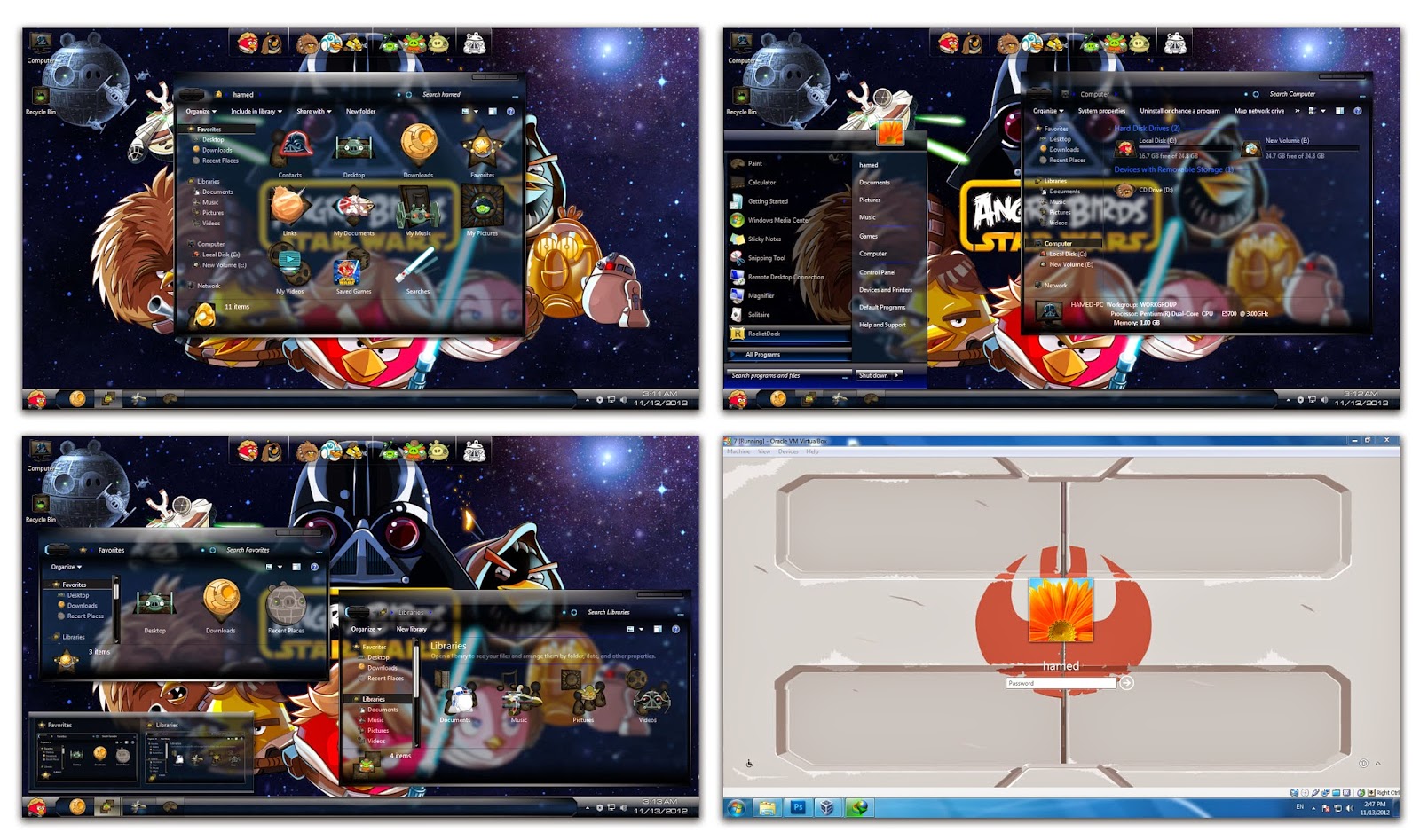
Window 7 ကို Style မ်ိဳးစံုေျပာင္းသံုးၾကရေအာင္


Windows 7 ပံုစံကိုသံုးရတာရိုးေနသူေတြအတြက္ Window 7 Theme ကိုပံုစံေျပာင္းသံုးၾကရေအာင္ မေျပာင္းခင္မွာ Window ကို Back Up ယူထားပါ တစ္ခုခုမွားသြားရင္ Restore ျပန္လုပ္လို႔ရေအာင္ပါ  
Back Up ယူၿပီးၿပီဆိုရင္ေတာ့ ေအာက္ကဒီဇိုင္းေတြထဲက ႀကိဳက္တဲ့ပံုစံကို Install လုပ္ၿပီး Restart ခ်ေပးလိုက္ရင္ရပါၿပီ


CusorFX နဲ႔ Mouse ဒီဇိုင္းအလန္းေလးေတြးသံုးမယ္


ကြန္ျပဴတာမွာ Mouse Arrow ေလးကို သံုးရတာရိုးေနသူမ်ားအတြက္ mouse arrow ေလးကိုဒီဇိုင္းေျပာင္းသံုးရေအာင္ CursorFX ဆိုတာေလးကိုတင္ေပးလိုက္ပါတယ္ အဲ့ထဲမွာပါတဲ့ဒီဇိုင္းကိုမႀကိဳက္ေသးဘူးဆို ေနာက္ထပ္ဒီဇိုင္းေလးေတြကို ထပ္ၿပီးေဒါင္းလို႔ရေသးတယ္ ဒီဇိုင္းေပါင္း 2358 မ်ိဳးရွိပါတယ္အရင္ဆံုးေဒါင္းၿပီး install လုပ္လိုက္ပါ 
ထပ္ေဒါင္းခ်င္ေသးတယ္ဆိုရင္ ေအာက္မွာျပထားတဲ့အတိုင္း More Cursor ကိုႏွိပ္ အဲ့ထဲက www.WinCustomiz.com ကိုႏွိပ္ၿပီးႀကိဳက္တဲ့ပံုေဒါင္းပါ


ေဒါင္းထားတဲ့ဖိုင္ကိုရွာရလြယ္ေအာင္ Destop ေပၚမွာထားပါ ၿပီးရင္ ေအာက္ကပံုမွာျပထားတဲ့အတိုင္း New Package ကိုႏွိပ္လိုက္ပါ


ေအာက္ကပံုေပၚလာရင္ File က Open ကိုႏွိပ္ၿပီး ေဒါင္းထားတဲ့ဖိုင္ကိုဖြင့္ ၿပီး File ထဲက Apply ကိုႏွိပ္ပါ

အားလံုးဒီဇိုင္းသစ္ေလးနဲ႔လန္းနိုင္ၾကပါေစ


Fastone ScreenCapture


Fastone ScreenCapture ေလးက ကြန္ျပဴတာ Dasktop ေပၚမွာ ScreenCapture ဖမ္းတဲ့ ေဆာ့၀ဲလ္ ေလးျဖစ္ပါတယ္။ Photo ScreenCapture တခုထဲမကပဲ Video ScreenCapture ပါ ဖမ္းလို႕ရတဲ့ ေဆာ့၀ဲလ္ ေလးျဖစ္ပါတယ္။ သူငယ္ခ်င္းေတာ္ေတာ္မ်ားမ်ားက ေတာင္းလာတာနဲ႕ တင္ေပး လိုက္ တာပါ။ ဖိုင္ဆိုဒ္ကလည္း ေသးေသးေလးျဖစ္ပါတယ္။ 

Full Version သံုးရေအာင္ KeyGan ပါ တြဲတင္ေပးထားပါတယ္။ ေဆာ့၀ဲလ္ကို Install ျပီးတာနဲ႕ Keygan ထဲက user namme နဲ႕ key ကို ထည့္လိုက္ပါ။ Full Version သံုးနိုင္ပါျပီ။အခုတင္ေပးလိုက္တဲ့ Fastone ScreenCapture က ေနာက္ဆံုးထြက္ Version ျဖစ္တဲ့ v 7.6 ကိုတင္ေပးလိုက္တာပါ။ 

ကြန္ျပဴတာသံုးသူတိုင္း တကယ္ေဆာင္ထား သင့္တဲ့ ေဆာ့့၀ဲလ္ ေလးျဖစ္ပါတယ္။ တကယ္ကိုေပ့ါေပါ့ ပါးပါးနဲ႕သံုး နိုင္မွာ ျဖစ္ပါတယ္။ စိတ္၀င္စားရင္ေအာက္ကလင့္မွာ ေဒါင္းယူနိုင္ပါျပီ။

Uni android Tool

ဒီတစ္ခါ service သမားေတြ ဆိုင္သမားေတြ အတြက္ အသံုး၀င္မဲ့ tools တစ္ခုေလေတြ ့လာလို ့  ၇ွယ္ေပးလိုက္ပါတယ္ လြယ္လြယ္ကူကူနဲ့ FlashBoot Mode , Recovery Mode, Download Mode,
 Reset Gmail,Bypass Pattern Lock,Wipe Data,Root,Unroot,Apk Install,စသည့္တို ့အၿပင္ တစ္ၿခာလုပ္ေဆာင္ခ်က္ေတာေတာမ်ားကို အလြယ္တစ္ကူ လုပ္ေဆာင္ႏိုင္ပါတယ္

လိုအပ္သူမ်ားေအာက္ကလင့္မွာေဒါင္းယူလိုက္ပါ


Desktop Icon Toy 4.5 Full Version


Dasktop ေပၚမွာ Icon ေတြကိုပံုစံအမ်ိဳးမ်ိဳးနဲ႔ထားလို႔ရမယ့္ Dasktop Icon Toy 4.5
သံုးဖူးတဲ့လူတိုင္းႀကိဳက္ၾကမွာပါ Icon ေလးေတြကိုစိတ္ႀကိဳက္ထားနိုင္သလို ေမာက္တင္လိုက္တာနဲ႔ Icon ေလးေတြလႈပ္မယ္ ေမာက္တင္မွ Icon name ေလးေတြေပၚမယ္ 
စသည္ျဖင့္အမ်ားႀကီးသံုးနိုင္ပါတယ္
လိုခ်င္ရင္ေအာက္မွာေဒါင္းပါ